Download and share
A genealogy can be made into a typeset PDF, ready to print and bind, and a line can be drawn as one long image. Both show living relatives, so only those who may edit can download them: the genealogy's administrators, approved family members with edit access, and - where the genealogy lets its family code make changes - anyone who entered it. Family members with view-only access, and anyone who entered the view-only code, cannot.
1A PDF of the genealogy
Press PDF on the front page or the chart for the whole genealogy, or on a person's page for that person and their branch alone. Then choose:
- the cover: ten of them, three of which can carry a photograph;
- the layout: the classical vertical one modelled on printed genealogies, an indented one with a person to a line, or an index by generation;
- the paper, which way up, and the typefaces;
- the first page number: for a genealogy bound into a book, or a volume that continues another, the number its lineage starts at - the pages after it, and the continued-on marks, follow.
Press Generate & download; it usually takes ten to thirty seconds. The continued-on and continued-from marks in the PDF, and its contents, are links.

2A long image of a line
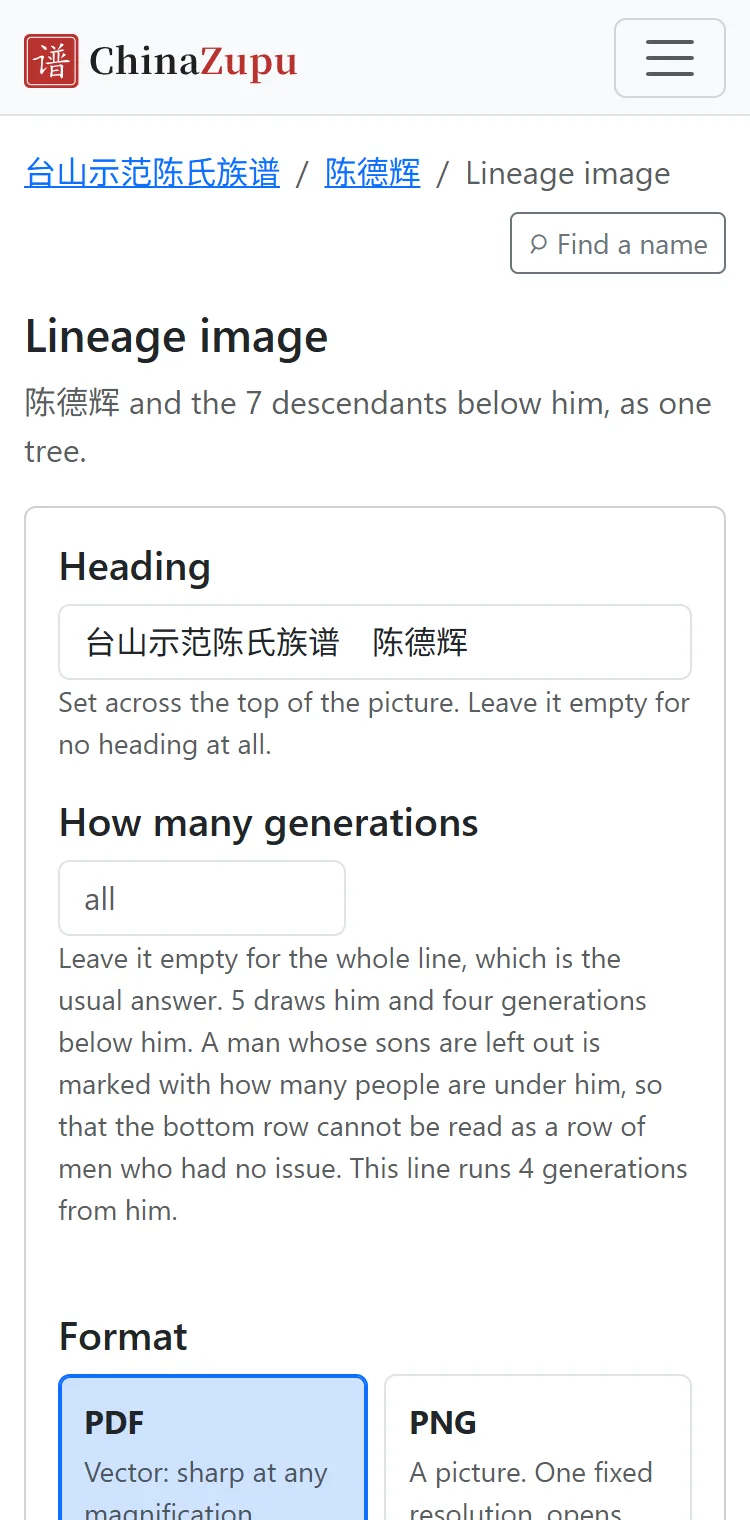
Press Lineage image on a person's page or the chart to draw that person and their descendants as one picture, as a PDF or a PNG image. You can put a title on it, stop at a given generation, and change the arrangement and the type size.
3Share with relatives
The front page, each person's page, the chart and others have Share this page at the top right. In WeChat it copies the link and shows where WeChat's own menu is for sending it; in other browsers it opens the phone's share menu, or copies the link.
What you share is an address: whoever opens it sees what they themselves may see, so without access they see no names and cannot open a person's page.