Read a genealogy
A genealogy here can be read as its front page, a chart, each person's page, its statistics, and how two people are related. The pictures below come from the demo genealogy, whose people are all invented; its family code is on its front page, and with it you see what the pictures show.
1The front page
The front page gives the genealogy's name, its ancestral place and an introduction. Overview says how many people and generations it holds, with the ways in: the chart, Population by generation, and - for those who may edit - PDF. Below are the Branch origins (the founder, and the first person of any branch) and the Generation characters.

2The chart
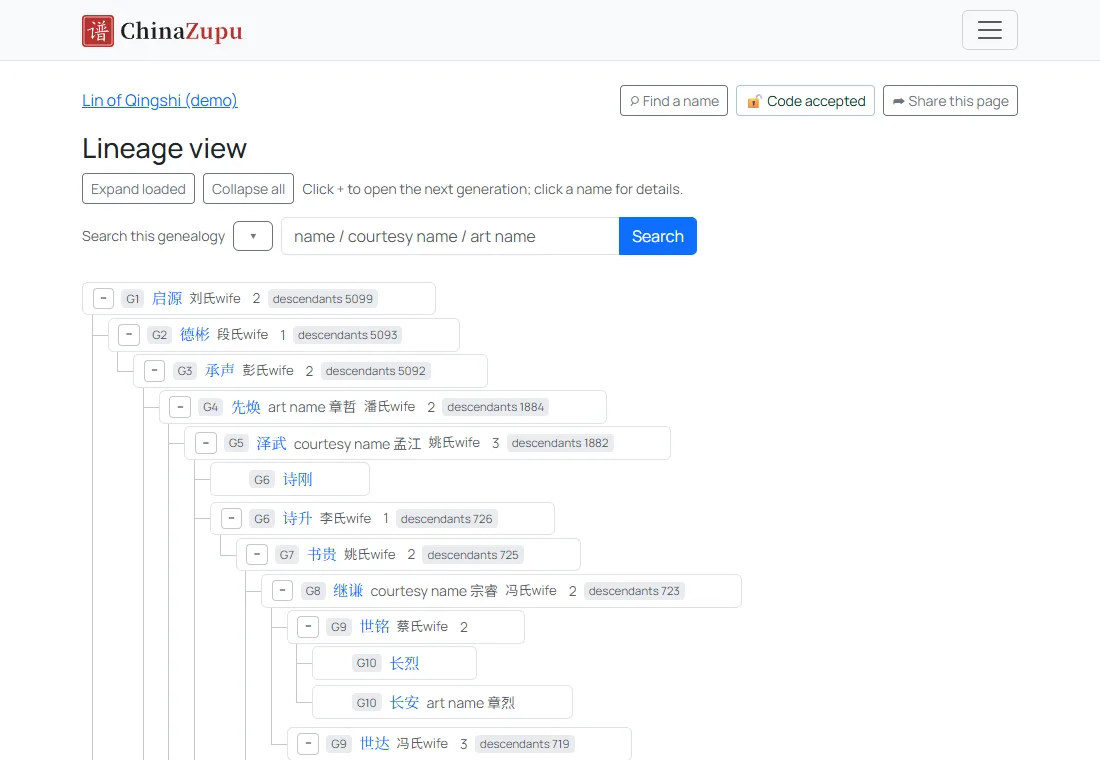
Open the Lineage view to unfold the genealogy generation by generation; about ten generations are open when it arrives. Press + before a name to open the next generation and − to close it; press a name to draw the chart again from that person. The ▾ beside a name opens a menu: this person's page, Expand one generation, two or three, how two people are related, and more.
3A person's page
A person's page gives their generation, names and birth order, their line from the founder down to them, and their parents, children and spouses. The buttons underneath expand the lineage tree from this member, show the statistics of their branch, or work out a relationship.

4Statistics, and each generation's list
Population by generation counts the people, men and women and the growth of each generation, and draws them as charts. Press a generation's count to list everyone in that generation, with their father and how many children they had.

5How two people are related
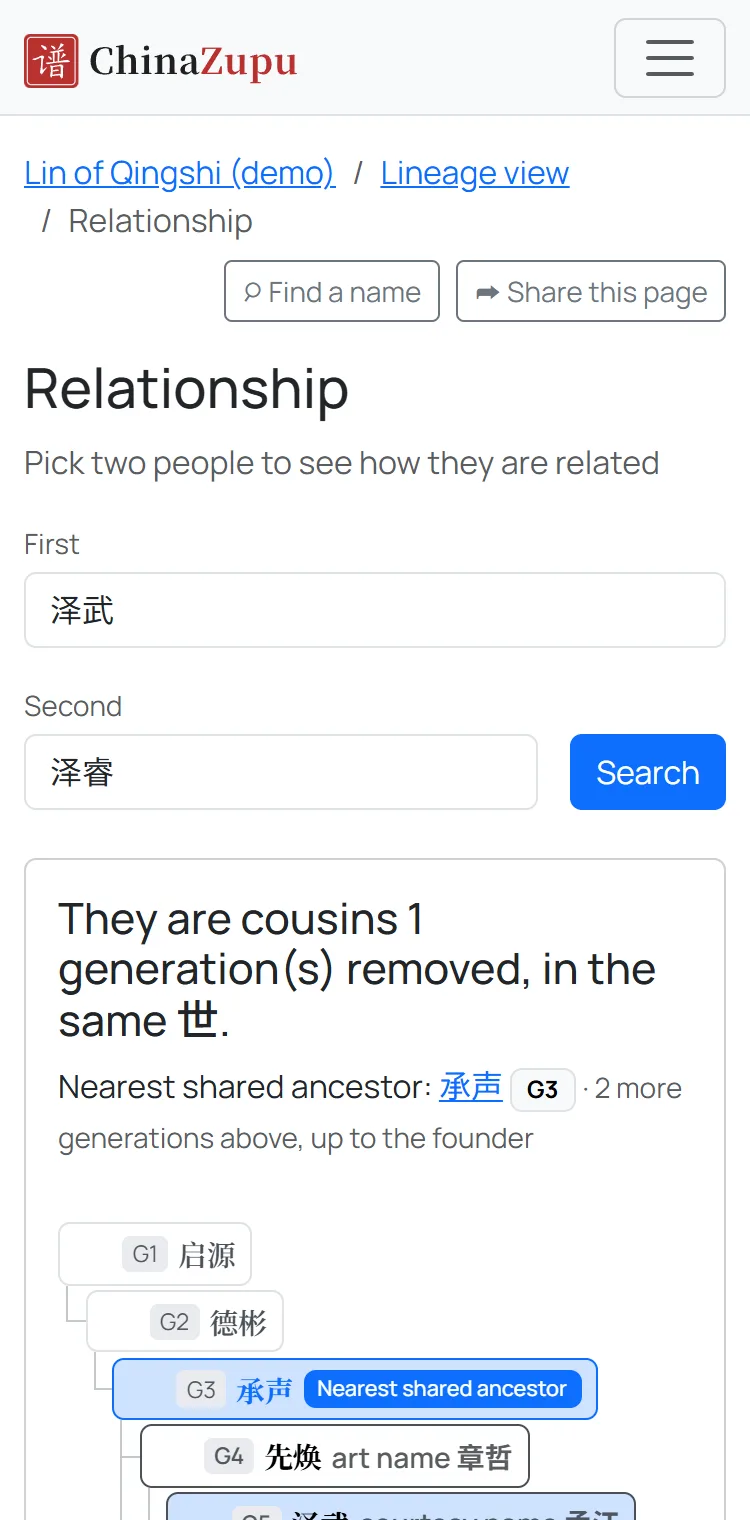
Press Relationship on a person's page and choose someone else: the page says how the two are related - a descendant so many generations down, brothers, or cousins of some degree - and who their common ancestor is.
Seeing ***?
By default names are shown only to those with access; everyone else sees *** and cannot open a person's page. Where a genealogy's administrators have chosen to show names, the public reads its earlier generations, and *** stands for the recent generations. Enter the family code, or log in as one of the genealogy's administrators or approved family members, to see them; a family member without the code can apply to join the genealogy, and once an administrator approves, see them too.